
Run a group clinic
Create a group clinic that repeats, then cancel one date or remove the whole clinic.
A clinic is a group session on a schedule, such as Tuesday morning drills. Each date is an instance. Clients can register on your booking page, and every date shows on your calendar.
Create a clinic
Section titled “Create a clinic”-
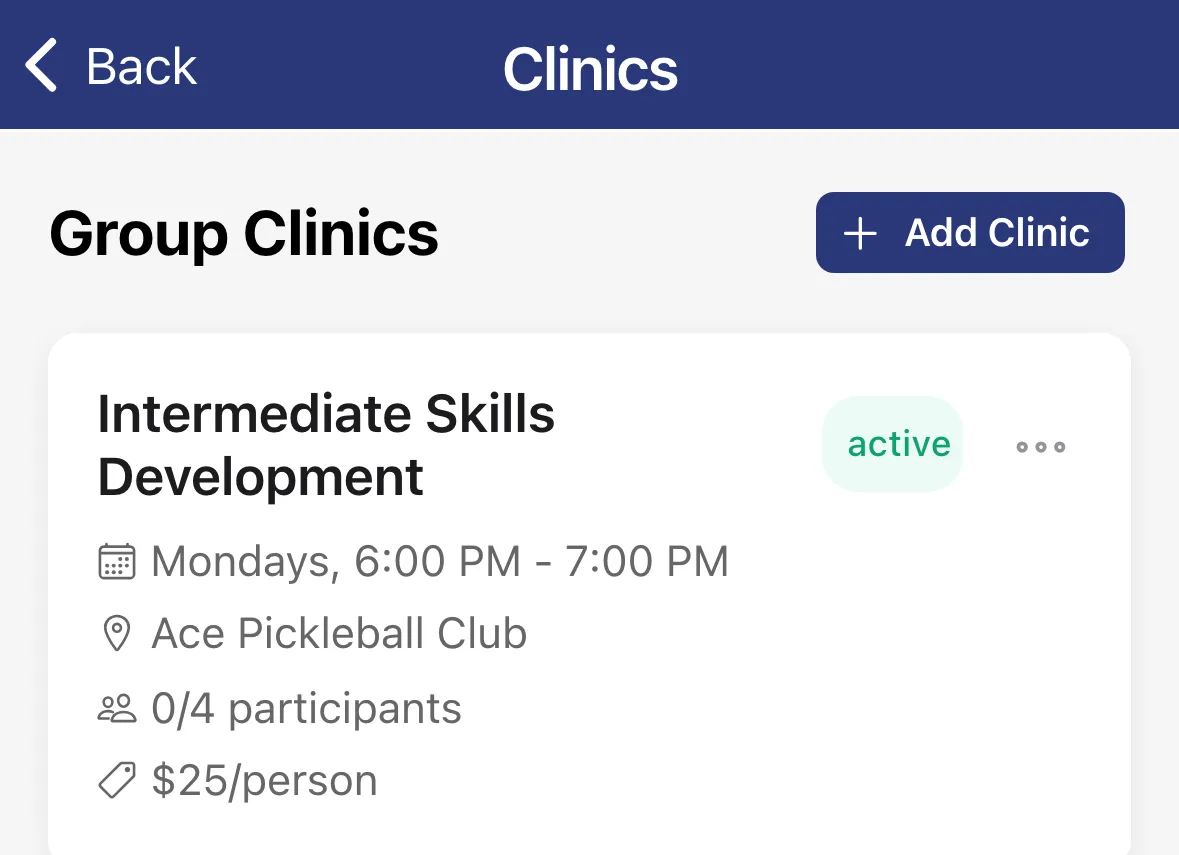
Tap the menu, then Settings, then Group Clinics.
-
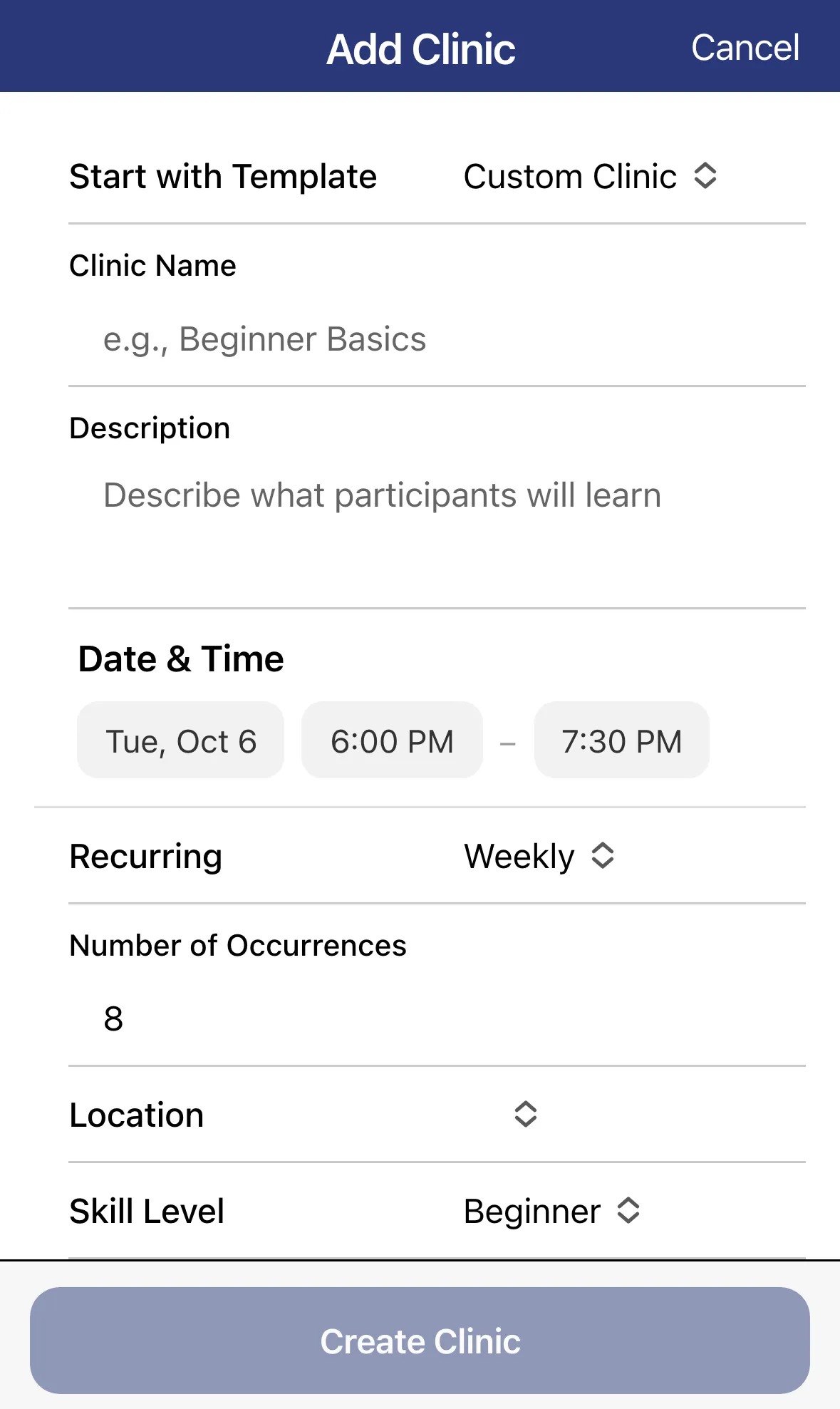
Tap Add Clinic.
-
Optional: pick a Start with Template.
-
Enter a Clinic Name and Description.
-
Set the first date and the start and end times under Date & Time.
-
Choose Recurring: Weekly, Every 2 Weeks, Monthly or One Time Only. For a repeating clinic, enter the Number of Occurrences, from 1 to 52.
-
Choose the Location and Skill Level.
-
Enter the Price per Person, the Minimum Participants and the Maximum Participants.
-
Leave Active on, then tap Create Clinic.
Each clinic card shows its status, schedule, location, how many people have registered and the price per person.
Cancel one date
Section titled “Cancel one date”- On the clinic’s card, tap … then View Instances.
- Tap the date. The badge on each row shows how many people are registered.
- Choose Cancel This Instance to cancel just that date, or Cancel This & Future Instances to stop it from that date on.
- Confirm. The app tells you how many people will be notified.
Delete a whole clinic
Section titled “Delete a whole clinic”Edit a clinic
Section titled “Edit a clinic”Tap the clinic, or tap … then Edit, change what you need and tap Update Clinic.